Introducing Databases
A workspace can now hold many databases, fields can be shared across your whole organization, and every database gets its own quick filters. Underneath, I rebuilt the data model Blue has run on since 2018.
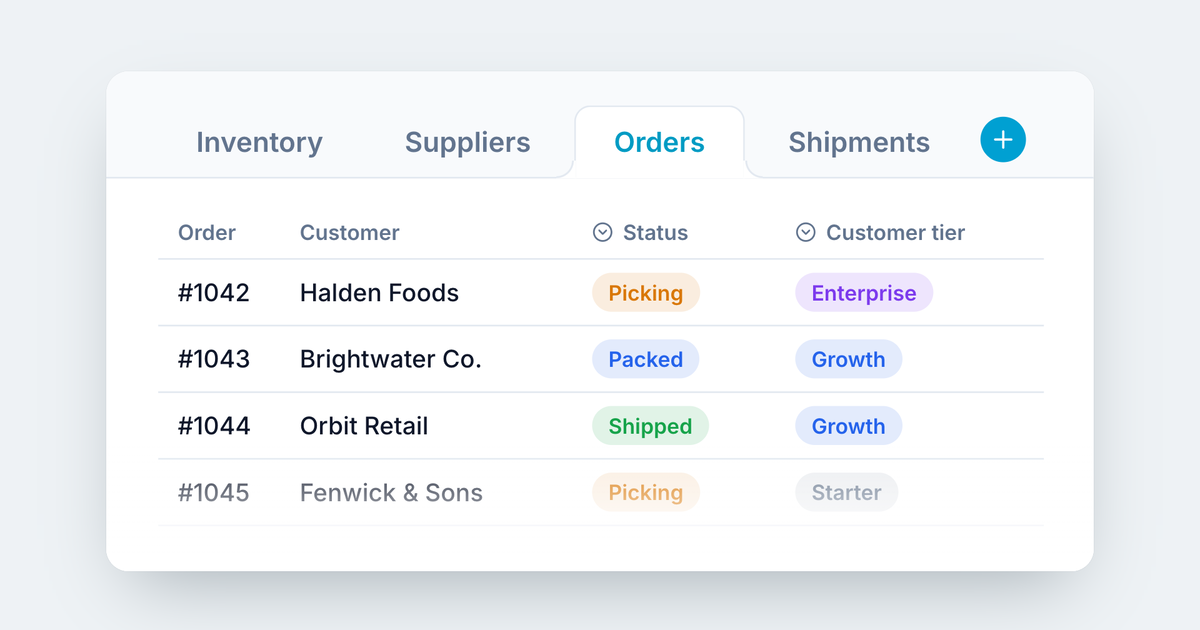
A Blue workspace used to hold one set of records. Now it holds as many databases as your process needs, each with its own fields, automations and permissions. Fields can be shared across your whole organization, and every database gets the quick filters that suit it.
To make that possible, I rebuilt the data model Blue has run on since 2018. That’s the second half of this post.
Many databases in one workspace
A warehouse team tracks suppliers, orders and shipments. An agency tracks clients, projects and invoices. Those belong together, but they aren’t the same kind of record, and until now Blue made you choose between one workspace with a muddle of fields or three workspaces that can’t see each other.
Now each one is its own database, in its own tab, in the same workspace. Each database has its own fields, its own automations and its own access, so Finance can edit invoices while everyone else only sees them, or doesn’t see them at all.
Tabs in the order you work
Databases sit in the tab row alongside Docs, Forms, Files and the rest. Workspace admins can drag any tab to where it belongs, and that’s the order everyone in the workspace sees.
Global fields
Most organizations end up with the same field built five times. “Client” in Sales, “Customer” in Support, “Account” in Finance, each with slightly different options that never quite match.
A global field is defined once and used anywhere. In a field’s settings, choose Make global. Any other database in your organization can then add it with Use global field. The name, options and settings stay shared, so recolouring an option or adding a new one changes it everywhere. The values still belong to each record.
Global fields live in one library in your organization settings, so you can see what already exists before you build it again.
Quick filters you choose
The toolbar used to have three quick filters that were fixed: due date, assignees and tags. Now each database picks its own. Choose up to three fields, a date, a person and a multi-select, and they sit beside the Filters menu, one click away.
A shipments database can filter by ship date, the account owner and region. A hiring database can filter by interview date, the hiring manager and role. Changing one database’s toolbar doesn’t touch the others.
A few more things
- Milestone tracking. Value Set At and Value Set By fields record when a status or tag was set, and who set it.
- Time in Value. Like Time in List, now for statuses, tags, checkboxes and assignees.
- Record names and status, your way. Choose which fields supply each database’s record name and status.
No more project management leftovers
When I started Blue in 2018, I was building a project management tool. So some fields were built in: every record had a due date, assignees, tags, a description and a list, whether your process needed them or not.
Last year I wrote about moving from projects to processes, after finding that over 90% of customers use Blue to run ongoing processes, not projects. Renaming things was the easy part. The data model underneath still assumed every record was a task in a project.
Now it doesn’t. There are no default fields anymore. Everything is an ordinary field you can rename, remove or rearrange:
| Before | Now |
|---|---|
| Tags | A multi-select field |
| Description | A multi-line text field |
| Lists | A single-select field |
| Due date, assignees | A date field and a people field |
Your existing data was mapped across automatically, and the settings and automations that relied on the old fields now use their replacements. A process that doesn’t need a due date simply doesn’t have one.
What it took
Before this change, Blue had two of everything. Built-in fields and custom fields lived in different places, so every read, filter, sort, automation, export and API call had two code paths, written years apart. Every new feature had to be built twice, and the two halves never behaved quite the same.
Replacing that meant rewriting the core of Blue while it kept running: 4,026 commits in just over a month.
I didn’t want to find the differences in production. So I rehearsed the migration on copies of real data, and checked the new engine against the old one: the same questions asked of both, and the answers compared. Who can see what, how records sort and filter, what saved views, charts and reports return. Frozen public API responses were replayed against the new engine too, so integrations built on Blue keep working without a change.
What’s next
This is the part I’m most excited about. For eight years, every new feature had to work around a model built for projects. Now there’s one kind of field and one way to store, filter and automate it, so anything I build next works on every field in every database from day one. Databases, global fields and custom quick filters are the first things this foundation made possible. They won’t be the last.
— Manny