Billing
Compare Blue tiers and plans, manage payments, download invoices, or change your organization's billing options.
How Blue’s pricing works
Blue uses tiers and plans to set organization limits and feature access:
- Tiers set base limits for users, workspaces, storage, automations, dashboards, API requests, and uploads. A tier requires one payment, and the organization owns it permanently.
- Pro is an optional yearly subscription that adds features and increases selected tier limits.
- Enterprise is a custom plan with all Pro features, unlimited limits for selected resources, and higher finite limits for other resources.
Blue does not charge a recurring per-user fee. Select a tier for your organization’s scale, then add Pro if you need its features.
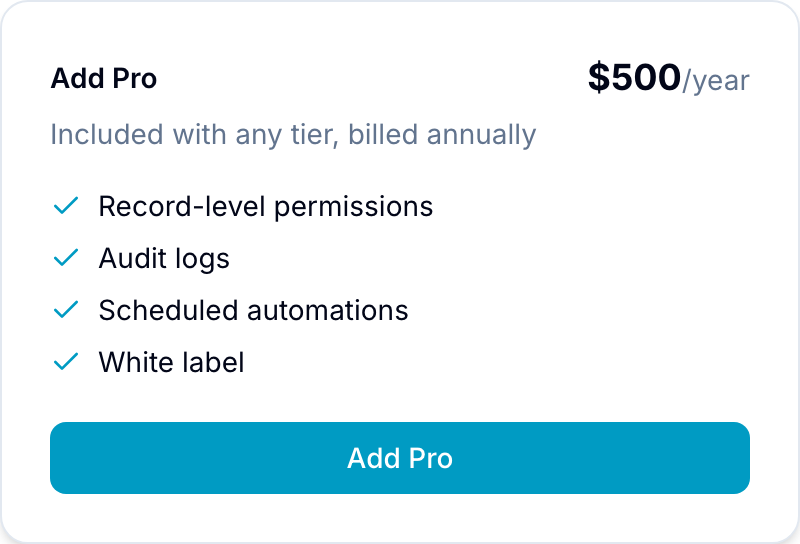
Pro costs $500 per year for each organization, regardless of its number of users. It includes record-level permissions, audit logs, scheduled automations, saved views, white label, and other features listed below.
Tiers

| Tier | Price | Users | Workspaces | Storage | Automations / Month | Actions / Minute | Maximum Upload |
|---|---|---|---|---|---|---|---|
| Starter | $99 | 5 | 5 | 10 GB | 1,000 | 5 | 256 MB |
| Starter+ | $199 | 15 | 15 | 50 GB | 2,000 | 8 | 512 MB |
| Growth | $299 | 30 | 25 | 100 GB | 5,000 | 12 | 1 GB |
| Growth+ | $499 | 75 | 50 | 250 GB | 10,000 | 20 | 2 GB |
| Scale | $999 | 150 | 100 | 500 GB | 50,000 | 30 | 5 GB |
All base tiers have the same feature access. Your plan, not your tier, sets the database, record, and field limits.
Upgrading your tier
You can upgrade your tier at any time. You pay only the difference between your original payment and the new tier’s price.
Blue includes original promotional discounts in the upgrade calculation. After payment completes, Blue applies the new limits immediately and preserves your data, workspaces, and settings.
Pro
Pro costs $500 per year and adds advanced features to any tier.
Higher limits
Pro keeps the user, storage, maximum-upload, webhook, and webhook-delivery limits from your tier. It changes the following limits:
| Limit | Base Tier Values | Pro Values |
|---|---|---|
| Workspaces | 5 / 15 / 25 / 50 / 100 | 25 / 75 / 125 / 250 / 500 |
| Automations per month | 1,000 / 2,000 / 5,000 / 10,000 / 50,000 | 10,000 / 20,000 / 50,000 / 100,000 / 500,000 |
| Automation actions per minute | 5 / 8 / 12 / 20 / 30 | 10 / 16 / 24 / 40 / 60 |
| Databases per workspace | 10 | 50 |
| Records per database | 50,000 | 500,000 |
| Records per organization | 5,000,000 | 5,000,000 |
| Fields per database | 100 | 500 |
| Custom roles per workspace | 1 / 2 / 3 / 4 / 5 | 50 |
| Dashboards | 3 / 5 / 10 / 15 / 25 | 50 |
| API per key / user / organization | 20/40/60; 30/60/90; 50/100/150; 100/200/300; 200/400/600 requests/minute | 40/80/120; 60/120/180; 100/200/300; 200/400/600; 400/800/1,200 requests/minute |
Values separated by slashes follow the tier order Starter, Starter+, Growth, Growth+, and Scale. Semicolon-separated API groups follow the same tier order.
Every tier has the same base allowance for databases, records, and fields. Pro increases these allowances.
Base and Pro plans have a 5,000,000-record limit per organization. Enterprise does not have this organization limit.
API rate limits show per-key / per-user / per-organization requests per minute, counted over a 60-second sliding window. Pro doubles all three limits for any tier.
Advanced capabilities
- Record-level permissions: Control record visibility at the row level.
- Saved Views: Save and share filtered, sorted views.
- Scheduled automations: Run workflows on a timer or recurring schedule.
- Conditional automations: Trigger automations when field conditions match.
- Automation chaining: Trigger an automation from another automation.
- Executive reporting: Create cross-workspace reports with advanced filters.
- Bulk actions: Update, move, or delete multiple records.
- Audit logs: Track actions and data changes.
- HTML email templates: Send styled email from automations.
- Public view controls: Add filters, passwords, and custom URLs to shared views.
- White label: Use a custom domain and branding.
- Compliance tools: Use HIPAA, GDPR, FERPA, and financial data addenda.
- Instant queries: Load data through in-memory caching.
- Priority support: Receive faster responses from Blue’s engineering team.
Pro renews automatically each year. If you cancel, Pro access continues until the current billing period ends.
Enterprise
Enterprise includes all Pro features, dedicated support, and these limits:
- Unlimited users, workspaces, storage, monthly automations, webhooks, webhook deliveries, fields per database, organization records, and upload size
- 1,000,000 records per database
- 50 databases per workspace
- 80 automation actions per minute
- 1,000 / 2,000 / 3,000 API requests per minute per key, user, and organization
- 200 dashboards
- 50 custom roles per workspace
- All Pro features included
- Dedicated account manager with quarterly business reviews
- Custom integrations and on-premise deployment options
- SLA guarantee
- Custom training and onboarding
- Annual or multi-year contracts with flexible payment terms
- Invoice-based billing instead of credit card
Contact sales@blue.app for Enterprise pricing.
User limits
All user types count toward the tier’s user limit. This includes owners, administrators, team members, custom roles, clients, comment-only users, and view-only users.
Blue does not provide seats that are exempt from this limit. Upgrade your tier if you need more users.
Money-back guarantee
Every purchase has a 30-day money-back guarantee. To request a full refund during this period, open the billing page in settings.
How billing works
Self-serve billing
Blue uses Stripe to process payments. On the billing page in your organization settings, you can:
- Upgrade your tier: Pay the difference and receive the new limits immediately.
- Add Pro: Start a yearly subscription for advanced features.
- View invoices: View invoices and download receipts.
- Update payment methods: Change your saved payment method.
- Apply promo codes: Enter a promotional code during checkout.
- Cancel Pro: Stop renewal while retaining access through the current billing period.
All major credit and debit cards are supported, including Visa, Mastercard, and American Express.
Platform maintenance fee
Your tier purchase is a one-time payment. Blue reserves the right to introduce an annual platform maintenance fee of up to $50 per organization.
This fee is not currently active. Organizations on Pro or Enterprise are exempt because those plans include platform maintenance.
If Blue activates the fee for organizations without Pro or Enterprise:
- Blue will give at least 90 days’ advance notice and explain the reason for the fee.
- Organizations that do not pay will receive a 90-day export window from the activation date.
- During the export window, an organization can download its records, files, attachments, and field values as files.
- Access to the organization ends when the export window closes.
- Adding Pro removes the fee.
The export window lets you retain your data if you choose not to pay the maintenance fee.
Enterprise contracts
Enterprise supports annual or multi-year contracts, invoice-based billing, and custom procurement terms. Contact sales@blue.app to discuss these options.
Support
Your tier and plan determine the available support:
| Plan | Support |
|---|---|
| Starter | Community support (Blue Community forum + docs) |
| Starter+ | Community support (Blue Community forum + docs) |
| Growth | Email support |
| Growth+ | Email support |
| Scale | Email support |
| Pro | Priority support with faster response times from our engineering team |
| Enterprise | Dedicated account manager, custom training, and direct access to product and engineering |
See the pricing page for current pricing details. For Enterprise, contact sales@blue.app.