CSV Import
Import records from one CSV file up to your plan's per-workspace record limit.
A comma-separated values (CSV) file stores tabular data as plain text. Use CSV import to create Blue records from data in another system.
If your data is in an Excel file, convert the Excel file to CSV before you import it.
Import records
You must be a Project Administrator in the workspace that will receive the records. Each CSV column maps to a default field or custom field in Blue.
- Open the workspace that will receive the records.
- Select the settings icon.
- Select Import.
If you need the correct columns for existing custom fields, select Download CSV Template. Blue downloads a CSV file with those columns.
- Drag the CSV file into the upload area.
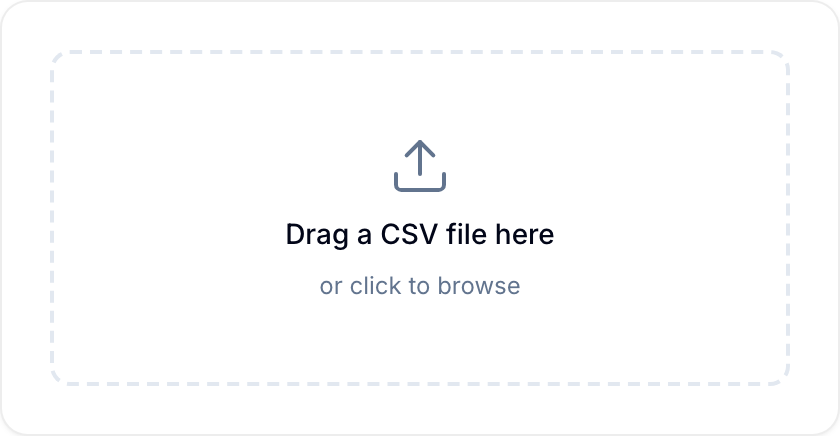
- Wait while Blue analyzes the file. Blue then shows a preview of the first ten rows.
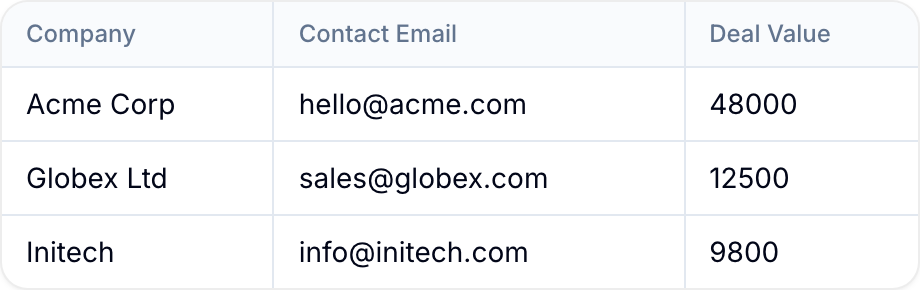
- Map each CSV column to a Blue field.
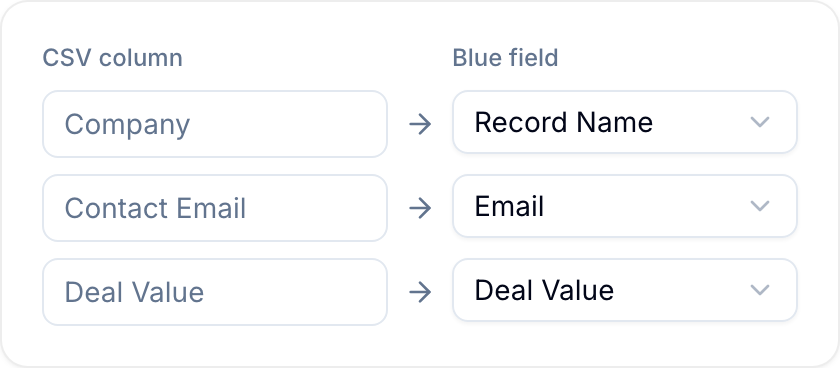
Blue maps the columns for you where it can. It first matches column headings to field names. For the columns that are left, it matches by meaning, in any language, and marks those with a sparkle and the label Matched by meaning. For example, “Fecha límite” maps to Due Date and “Correo electrónico” maps to Email.
A match by meaning never takes a field that a name match already claimed, and never changes a column you mapped yourself. Check every mapping before you continue, and change any that is wrong.
- Select Import. Blue creates the records from the mapped data.
Blue typically imports 10,000 to 15,000 records per minute.
Supported fields and formats
| Field | Import Support | Expected Format (Import) |
|---|---|---|
| Title | ✅ | Text |
| Description | ✅ | Text |
| Tags | ✅ | Text, Text |
| List | ✅ | Text |
| Start Date | ✅ | MM DD YYYY |
| Due Date | ✅ | MM DD YYYY |
| Single Line Text | ✅ | Text |
| URL | ✅ | Text |
| Currency | ✅ | Number |
| File | ❌ | N/A |
| Country | ❌ | N/A |
| Date | ✅ | MM DD YYYY |
| Formula | ❌ | N/A |
| Single Select | ✅ | Text |
| Multiple Line Text | ✅ | Text |
| Phone Number | ✅ | Text |
| ✅ | Text | |
| Multiple Select | ✅ | Text, Text |
| Location | ✅ | Latitude, Longitude |
| Star Rating | ✅ | Number |
| Checkbox | ❌ | N/A |
| Number | ✅ | Number |
| Percent | ✅ | Number |
| Unique ID | ❌ | N/A |
| Reference | ❌ | N/A |
| Lookup | ❌ | N/A |
| Time Duration | ❌ | N/A |
Accepted date formats
Blue accepts the following date formats during import:
Unix Timestamps:
1511648546 (seconds)
1620021848429 (milliseconds)
1620024872717915000 (nanoseconds)
RFC Standards:
RFC 3339: 2021-05-01T01:17:02.604456Z
RFC 2822: Wed, 02 Jun 2021 06:31:39 GMT
Database Formats:
PostgreSQL:
2019-11-29 08:08-08
2019-11-29 08:08:05-08
2021-05-02 23:31:36.0741-07
Common Formats:
Year-Month-Day:
2021-04-30 21:14
2021-02-21
2021-Feb-21

Month/Day/Year:
3/31/2014 22:05
04/02/2014 03:00:51

Day-Month-Year:
12 Feb 2006, 19:17
03 February 2013
Time Zones:
2014-04-26 13:13:43 +0800
2017-11-25 13:31 PST
2021-02-21 UTC
Natural Language:
May 6 at 9:24 PM
September 17, 2012 at 10:09am PST
October 7, 1970
International Formats:
Chinese: 2014年04月08日
Japanese: 2014/04/08 22:05
Time Only:
01:06:06
4:00pm PST
6:00 AM UTC
Blue converts all dates to the UTC time zone during import. The time is optional. If it is absent, Blue uses 00:00:00 UTC.
Include commas in values
If a value contains a comma, enclose the complete value in double quotation marks. This prevents Blue from treating the comma as a column separator.
This CSV incorrectly separates the address into additional columns:
Company,Address
Acme Inc,123 Main St, New York
Enclose the values in double quotation marks:
Company,Address
"Acme Inc","123 Main St, New York"