Zapier
Connect Blue and Zapier with webhooks to send data between Blue and other applications.
Zapier connects thousands of web applications through automated workflows called Zaps. Use Blue webhooks and API requests to exchange data with Zapier. Blue webhook events can trigger Zaps in real time.
Example workflows
- Sync Blue records to Google Sheets: Append a row to a Google Sheet when a Blue record is created or updated.
- Send order confirmations from Blue records: Send a confirmation email when a specified Blue field value is selected.
- Add Blue comments to Slack: Post Blue comment notifications to the relevant Slack channels.
Send Blue events to Zapier
Create a webhook in Blue
- Log in to Blue.
- Open Account > Webhooks.
- Select Create Webhook.
- Enter a Name.
- Enter the Zapier webhook URL.
- Select the events that must trigger the webhook.
- Select Create Webhook.
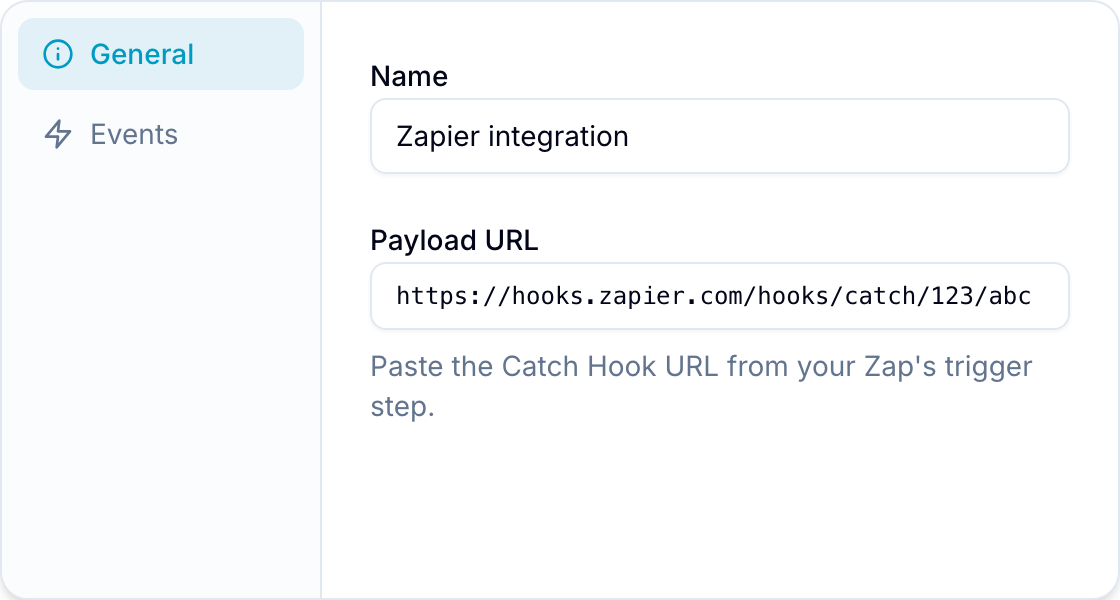
Create the Zap
- Log in to Zapier.
- Select Make a Zap.
- Select Webhooks by Zapier as the trigger application.
- Configure the trigger to accept payloads from the Blue webhook URL.
- Select the destination application for the second step.
- Map the JSON payload fields to the destination fields.
- Turn on the Zap.
When a selected event occurs, Blue sends its webhook payload to Zapier. Zapier then sends the mapped data to the destination application.
Send data from Zapier to Blue
Get Blue API credentials
- Open Account > API.
- Create a token or use existing credentials.
- Copy the Token ID and the Secret. Also note your organization ID and workspace ID.
Create the Zap
- Configure a trigger application, such as Google Sheets or Slack.
- Add Webhooks by Zapier as the action app.
- Select Custom Request as the event type.
Configure the request
- Method: POST
- URL:
https://api.blue.app/graphql - Data Pass-Through: FALSE
- Unflatten: NO
Set the headers
{
  "Content-Type": "application/json",
  "blue-token-id": "Your_Token_ID",
  "blue-token-secret": "Your_Token_Secret",
  "blue-org-id": "Your_Company_ID",
  "blue-workspace-id": "Your_Project_ID"
}
Configure the query
This example mutation creates a record and sets two field values. Replace each ID with an ID from your workspace. The API documentation shows how to find them.
{
  "query": "mutation CreateTodo($input: CreateTodoInput!) {\n  createTodo(input: $input) {\n    id\n    title\n    customFields {\n      value\n    }\n  }\n}",
  "variables": {
    "input": {
      "todoListId": "your-todo-list-id",
      "title": "New task from Zapier",
      "customFields": [
        {
          "customFieldId": "priority-field-id",
          "value": "High"
        },
        {
          "customFieldId": "due-date-field-id",
          "value": "2024-03-01"
        }
      ]
    }
  }
}
Test and activate the Zap
- Test the mutation in the Blue API Playground.
- Map dynamic values from the trigger application with Zapier data fields.
- Enable the Zap after the test succeeds.