API
Use Blue's GraphQL API to perform every action available in Blue applications.
The Blue application programming interface (API) lets you build integrations that read and change Blue data.
The API has 100% coverage of actions available in Blue applications. It uses GraphQL and includes a playground for testing queries.
Authentication
Generate a Personal Access Token under Account > API. Select Generate Token. Blue gives you a Token ID and a Secret.
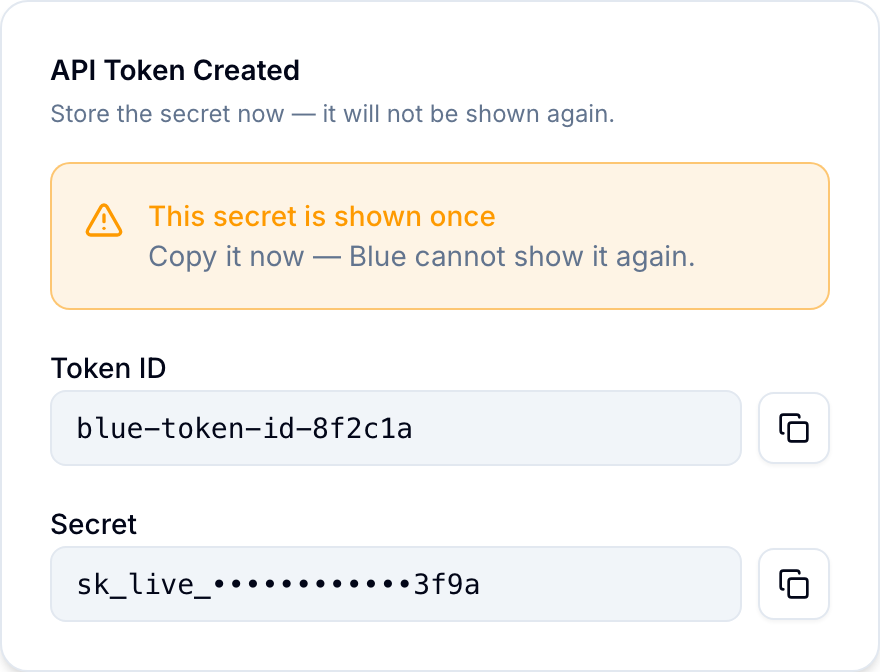
The token belongs to your account and has the same permissions as you. Use blue-org-id to select the organization for a request.
curl https://api.blue.app/graphql \
  -H 'Content-Type: application/json' \
  -H 'blue-token-id: YOUR_TOKEN_ID' \
  -H 'blue-token-secret: YOUR_TOKEN_SECRET' \
  -H 'blue-org-id: YOUR_ORG_ID_OR_SLUG' \
  --data '{"query":"query { __typename }"}'
Add blue-workspace-id when an operation needs explicit workspace context.
Blue shows the token secret only once. Store it securely. Anyone with both token values can call the API with your permissions. Revoke unused tokens under Account > API.
Rate limiting
Blue applies separate one-minute limits to each token, user, and organization. Each request counts against all applicable limits.
The response headers show the layer that is closest to its limit. Limits depend on the organization’s plan.
If you exceed the limit, the API returns HTTP 429 Too Many Requests. The Retry-After header specifies how many seconds to wait.
- Check the
X-RateLimit-Remainingresponse header on each request. - Reduce request frequency as the remaining quota decreases.
- Wait for the
Retry-Afterperiod before retrying a 429 response. - Batch related reads when possible. One multi-record query uses less quota than multiple single-record queries.
If a workflow requires higher limits, contact support. Enterprise customers can request increased quotas.