Webhooks
Send Blue event data to other systems through outgoing webhooks.
A webhook sends an automated message to another application after an event. For example, Blue can send record data when someone creates a record.
Blue triggers webhooks within milliseconds of an event.
Webhook behavior
- Blue pushes event data to another system without repeated polling.
- The receiving system can respond to Blue events.
- You can use webhooks in custom integrations and workflows.
Scope and security
For each webhook, you can configure:
- The events that trigger it.
- All workspaces or selected workspaces.
- Modern or legacy payload vocabulary.
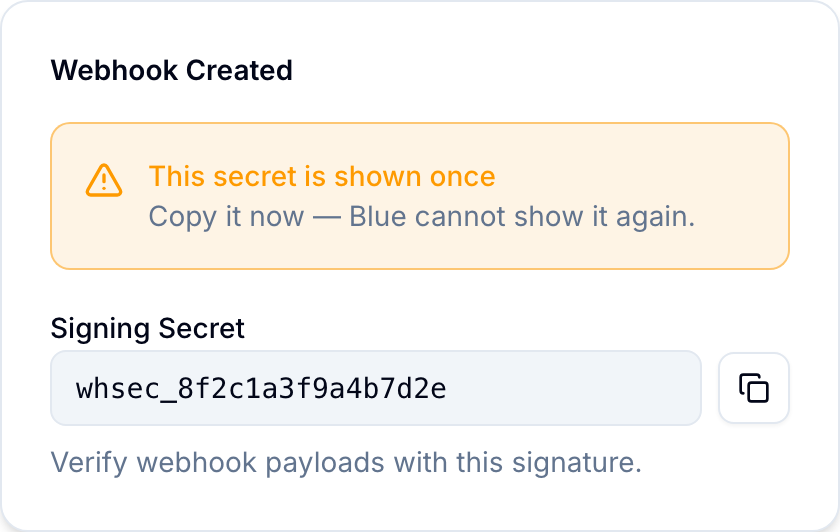
Blue generates a signing secret when you create the webhook. Blue includes an X-Signature header with every delivery.
Create a webhook
Any organization member can create a webhook. Blue delivers only events from workspaces where the webhook owner is a member.
- Open Account > Webhooks.
- Select Create Webhook.
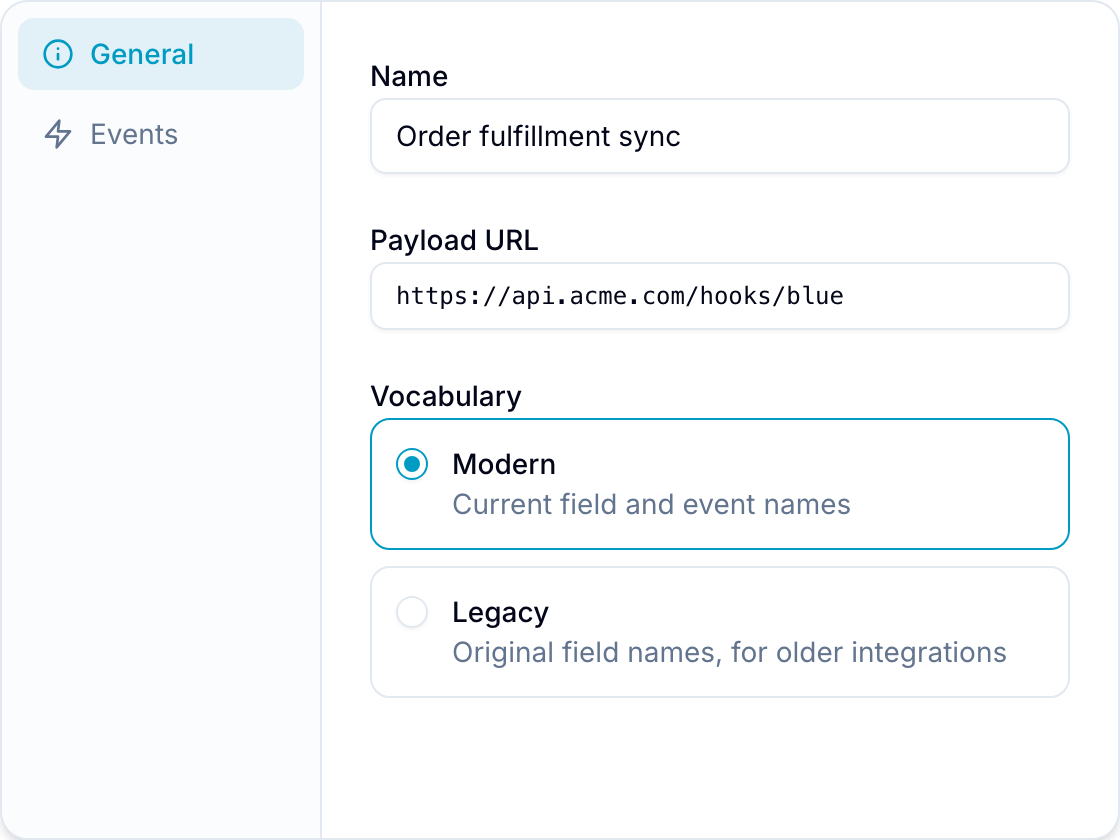
- In General, enter a Name.
- Enter the Payload URL for the receiving system.
- Under Payload vocabulary, select Modern or Legacy.
- In Events, select the events that must trigger the webhook.
- In Workspaces, select All Workspaces, or select Let me choose and select specific workspaces.
- Select Create Webhook.
- Copy the generated Signing Secret and store it securely.
Available triggers
Blue can trigger a webhook for these events:
- Record created, deleted, moved, or renamed
- Record done status updated
- Due date added, updated, or removed
- Assignee added or removed
- Tag added or removed
- Field value updated
- Checklist created, renamed, or deleted
- Checklist item created, renamed, deleted, or done status updated
- Checklist item due date added, updated, or removed
- Checklist item assignee added or removed
- List created, deleted, or renamed
- Field created, updated, or deleted
- Tag created, updated, or deleted
- Comment created, updated, or deleted
Webhook payload
When an event occurs, Blue sends a JSON payload with the event details to the configured URL.
This simplified example uses modern payload vocabulary:
{
  "event": "RECORD_CREATED",
  "webhook": {
    "id": "webhook_123",
    "name": "Record events",
    "enabled": true
  },
  "previousValue": null,
  "currentValue": {
    "id": "record_123",
    "title": "New record",
    "recordListId": "list_123"
  }
}
Legacy payload vocabulary uses names such as TODO_CREATED and todoListId. Modern vocabulary uses names such as RECORD_CREATED and recordListId.
Validate the signature
To confirm that a payload came from Blue, compare the X-Signature header with an HMAC-SHA256 digest of the payload.
This Node.js example validates the signature:
const crypto = require('node:crypto')

function isValidSignature(webhookPayload, receivedSignature, signingSecret) {
  const body = JSON.stringify(webhookPayload)
  const expected = crypto.createHmac('sha256', signingSecret).update(body).digest('hex')
  const expectedBuffer = Buffer.from(expected, 'hex')
  const receivedBuffer = Buffer.from(receivedSignature || '', 'hex')

  return (
    receivedBuffer.length === expectedBuffer.length &&
    crypto.timingSafeEqual(receivedBuffer, expectedBuffer)
  )
}

const valid = isValidSignature(
  webhookPayload,
  request.headers['x-signature'],
  process.env.BLUE_WEBHOOK_SECRET,
)
Reject the request if valid is false.
Use shared file links in automation requests
The Make HTTP request automation action is separate from webhook subscriptions. It resolves variables in the request URL, headers, and body.
For File fields, select “<field> (Shared links)” in the variable picker. This variable returns a JSON array of publicly shared file URLs. It excludes files that are not marked as shared.
See the variables reference for all supported variables.
Other webhook integrations
Use Zapier or Pabbly Connect to connect Blue webhooks to other applications.