Favorites
Pin workspaces, records, views, dashboards, reports, doc pages, forms, and chats to a Favorites section in the sidebar.
Favorites pin frequently used items to the Favorites section at the top of your sidebar.
Items You Can Favorite
- Workspaces
- Records
- Saved views
- Dashboards and reports
- Doc pages
- Forms
- Chats
The Favorites section can contain items from different workspaces.
Add a Favorite
- Workspace: Open the workspace and select the star icon in the top bar.
- Record: Open the record and select the star icon in the record toolbar.
- Other item: Open the item’s action menu with a right-click or the three-dot menu. Then select Add to favorites.
The item appears in the Favorites section of the sidebar immediately.
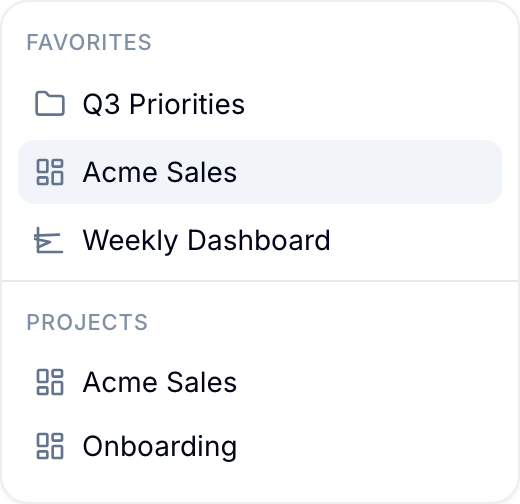
Organize Favorites
- Reorder: Drag favorites up or down.
- Remove: Drag a favorite out of the section, or select Remove from favorites in its action menu.
- Group: Put related favorites in folders.
Favorite Behavior
- Favorites are personal. Your changes do not affect another member’s sidebar.
- Removing a favorite does not delete the item.
- Blue removes items that you can no longer access. Examples include a deleted workspace or a private view shared by a former member.