Copying Workspaces
Copy a workspace within an organization or to another organization, and select the components to include.
Copy a workspace to reuse its data and configuration. Workspace Owners and Project Administrators can copy workspaces.
Copy a Workspace
- Open Settings > Copy.
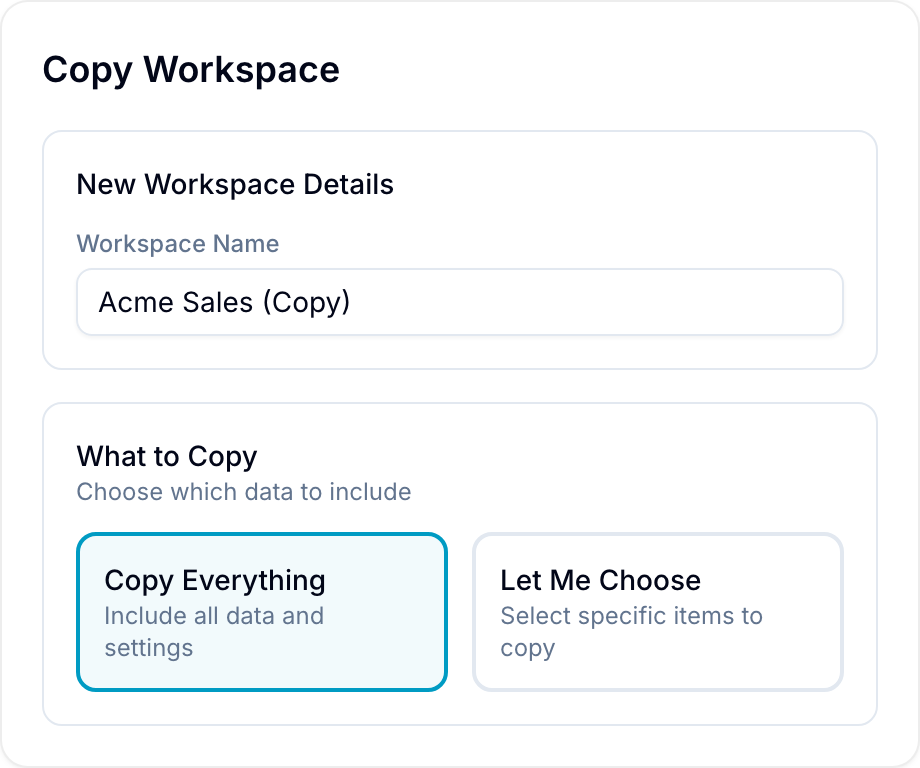
- Enter the Workspace Name for the copy.
- If you belong to multiple organizations, select the Destination Organization.
- Select Copy Everything or Let Me Choose.
- If you selected Let Me Choose, select at least one component.
- Select Copy Workspace. Blue shows the copy progress in a notification. While records copy, the notification shows a progress bar and the number of records copied, for example 4,500 of 12,000 records.
The copy contains the databases of the workspace. Use the components below to choose the data to include.
You can include these components:
- Activity.
- Assignees.
- Automations.
- Chat Comments.
- Chats.
- Checklists.
- Custom Fields: Fields and their values.
- Custom Roles.
- Due Dates.
- Files.
- Forms.
- Lists: The options of the List field.
- People.
- Record Comments.
- Records.
- Saved Views.
- Tags.
Shared Fields
A field can be used in more than one database. When you copy a workspace within the same organization, Shared Fields lists these fields. For each field, select one option:
- Keep sharing: The copy uses the same field and stays in sync with the original.
- Make independent copy: The copy gets a separate field with its own values, options, and history.
When you copy to a different organization, Blue creates an independent copy of every field.
Watch the following video for an example of copying a workspace: