Workspace Menu
Turn workspace features on or off and set the order of the workspace tabs, including database tabs, for all workspace members.
The workspace menu is the row of tabs at the top of a workspace. It contains feature tabs, such as Chat and Files, and one tab for each database.
Workspace Owners and Project Administrators can control which tabs appear for all workspace members and set their order.
Manage the Workspace Menu
- Open Settings > Workspace Menu. The page is titled Features & Navigation.
- Turn each feature on or off with its switch.
- Drag the rows into the required order. Blue applies the tab order to all workspace members.
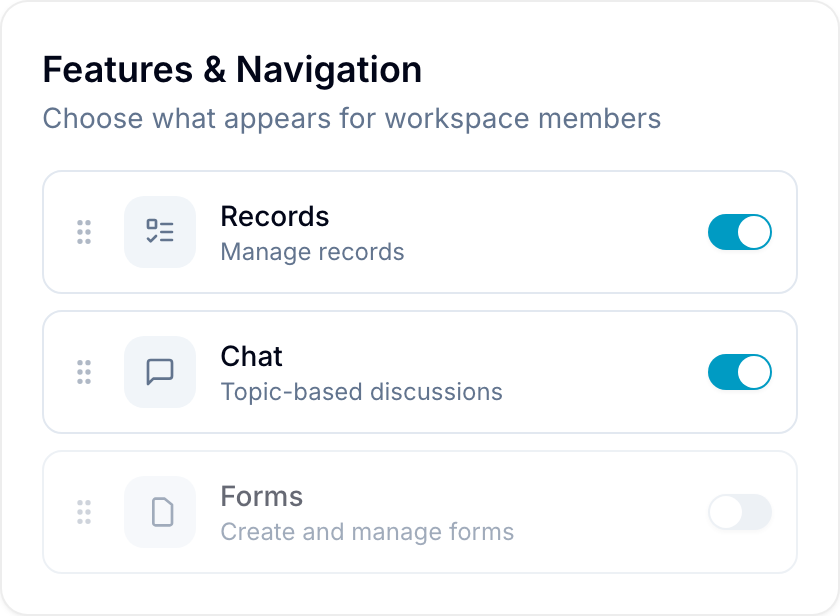
The features are:
- Activity: Track workspace activity and updates.
- Chat: Exchange messages in topic-based discussions.
- Docs: Create nested documentation pages.
- Forms: Create and manage forms.
- Files: Store and manage files.
- Users: Manage workspace members.
Database Tabs
Database rows do not have a switch. Each database row has two actions:
- Remove from menu: Hide the tab. The database and its records are not deleted. To show it again, use Add database view in the tab bar.
- Delete database: Move the database and its records to the workspace Trash.
Read Databases to create databases and add more tabs for a database.
Change Tabs from the Tab Bar
You can also change the menu from the workspace tab bar:
- Drag a tab to a different position.
- Right-click a tab and select Move left or Move right.
- Right-click a feature tab and select Turn off to hide it.
- Select + after the last tab. Under Enable features, select a feature that is turned off to show it again.
To show or hide tabs for a group of users instead, configure Menu items in custom user roles.