Reminders
Schedule an email or push notification that reminds you to return to a record.
Reminders notify you about a record at a scheduled date and time. Blue can send the notification by email or push notification.
Set a reminder
- Open the record.
- Press A, or open the … menu in the record toolbar and select Remind me. In the fullscreen record view, select the alarm clock icon in the toolbar instead.
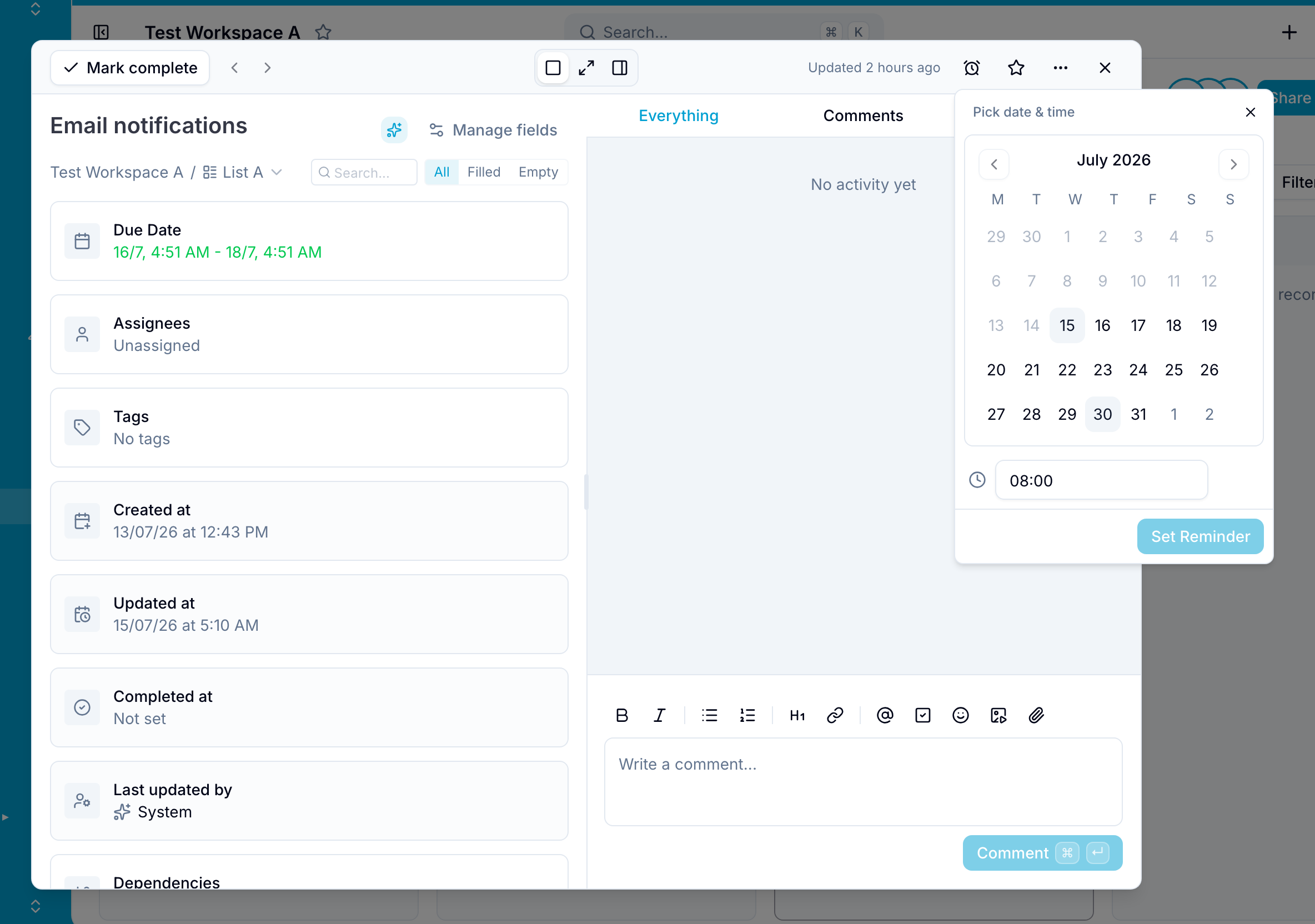
- Select Pick date & time…, choose a date and time, and select Set Reminder.
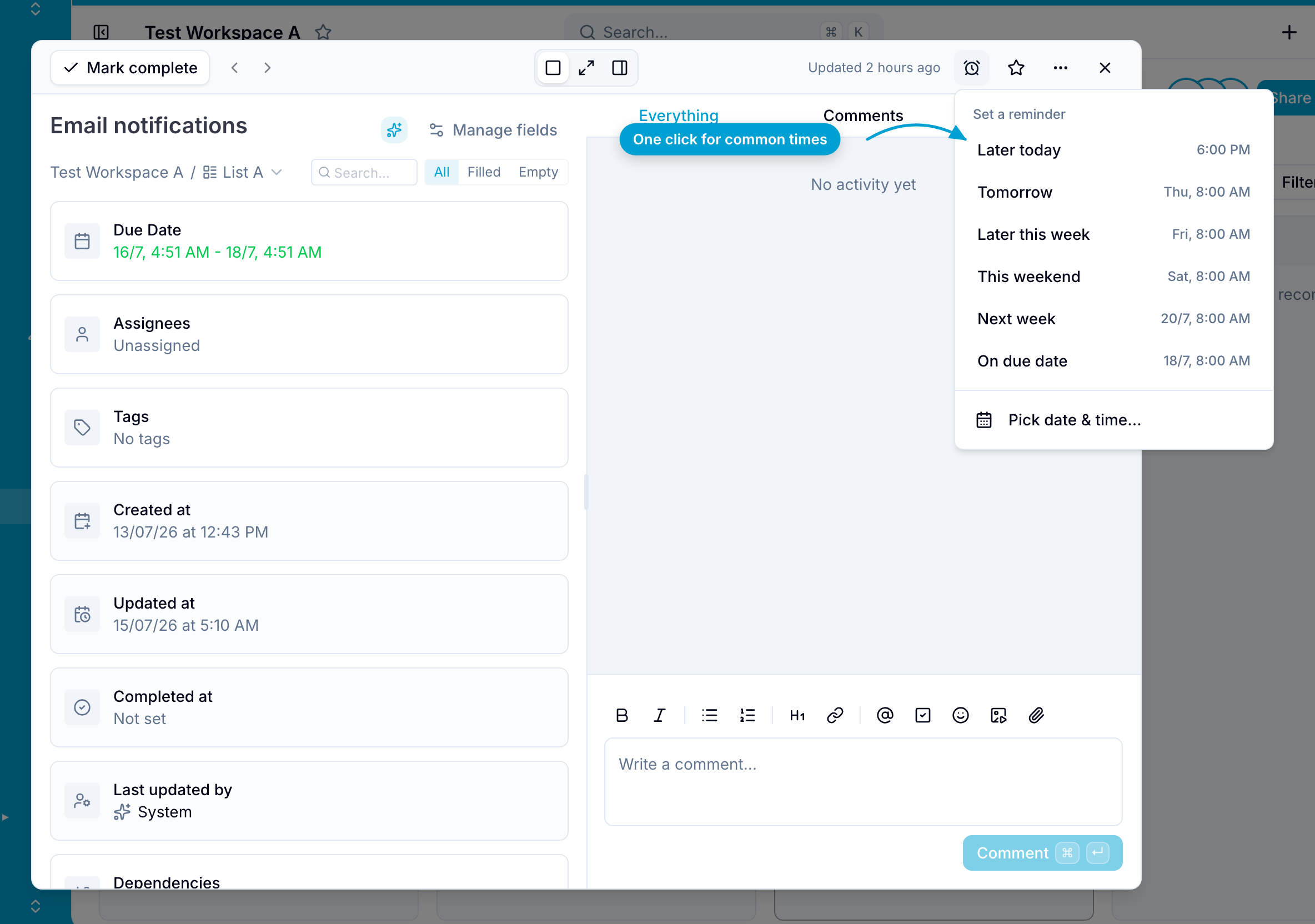
You can also select a preset:
- Later today
- Tomorrow
- Later this week
- This weekend
- Next week
In the fullscreen record view, the alarm clock icon turns blue after you set a reminder. Point to the icon to see the scheduled date and time.
Notification settings
At the scheduled time, Blue sends the enabled notification types:
- Push notification in the Blue web and mobile apps
Reminder delivery follows your Due Date Reminders notification settings. For new users, push notifications are enabled and email notifications are disabled by default.
Change or remove a reminder
- Press A, or open the … menu and select Edit reminder. In the fullscreen record view, select the alarm clock icon.
- Select Change reminder.
- Select a new date and time.
To remove the reminder:
- Press A, or open the … menu and select Edit reminder. In the fullscreen record view, select the alarm clock icon.
- Select Remove reminder.