Printing Records
Create PDFs from record data with uploaded or code templates, or export up to 250 filtered records into one PDF.
Printing records places record data into a reusable PDF template. Use it for documents such as invoices, work orders, receipts, and confirmations.
This video shows the feature:
Create a PDF template
A Workspace Owner or Project Administrator must upload and configure the PDF template.
- Select the workspace settings icon next to the workspace name in the top bar.
- Open PDF Templates.
- Select Upload PDF.
- Choose the PDF template file.
- Drag each required workspace field to its position on the template.
A PDF template can contain up to 10 pages.
The following table shows which fields a template supports.
| Field Type | Supported |
|---|---|
| Title | ✅ |
| Description | ✅ |
| Comments | ✅ |
| Start Date | ✅ |
| Due Date | ✅ |
| Assignees | ✅ |
| Tags | ✅ |
| List | ✅ |
| Workspace | ✅ |
| Created By | ✅ |
| Completed By | ✅ |
| Created At | ✅ |
| Updated At | ✅ |
| Completed At | ✅ |
| Printed On | ✅ |
| Checkbox | ✅ |
| Date | ✅ |
| Currency | ✅ |
| Percent | ✅ |
| File | Limited |
| Formula | ✅ |
| Single Select | ✅ |
| Multiple Select | ✅ |
| Time Duration | ✅ |
| Lookup | ✅ |
| Single Line Text | ✅ |
| Multiple Line Text | ✅ |
| Phone | ✅ |
| ✅ | |
| URL | ✅ |
| Location | ✅ |
| Country | ✅ |
| Number | ✅ |
| Unique ID | ✅ |
| Reference | ✅ |
| Table | ✅ |
| Rating | ❌ |
| Button | ❌ |
| Currency Conversion | ❌ |
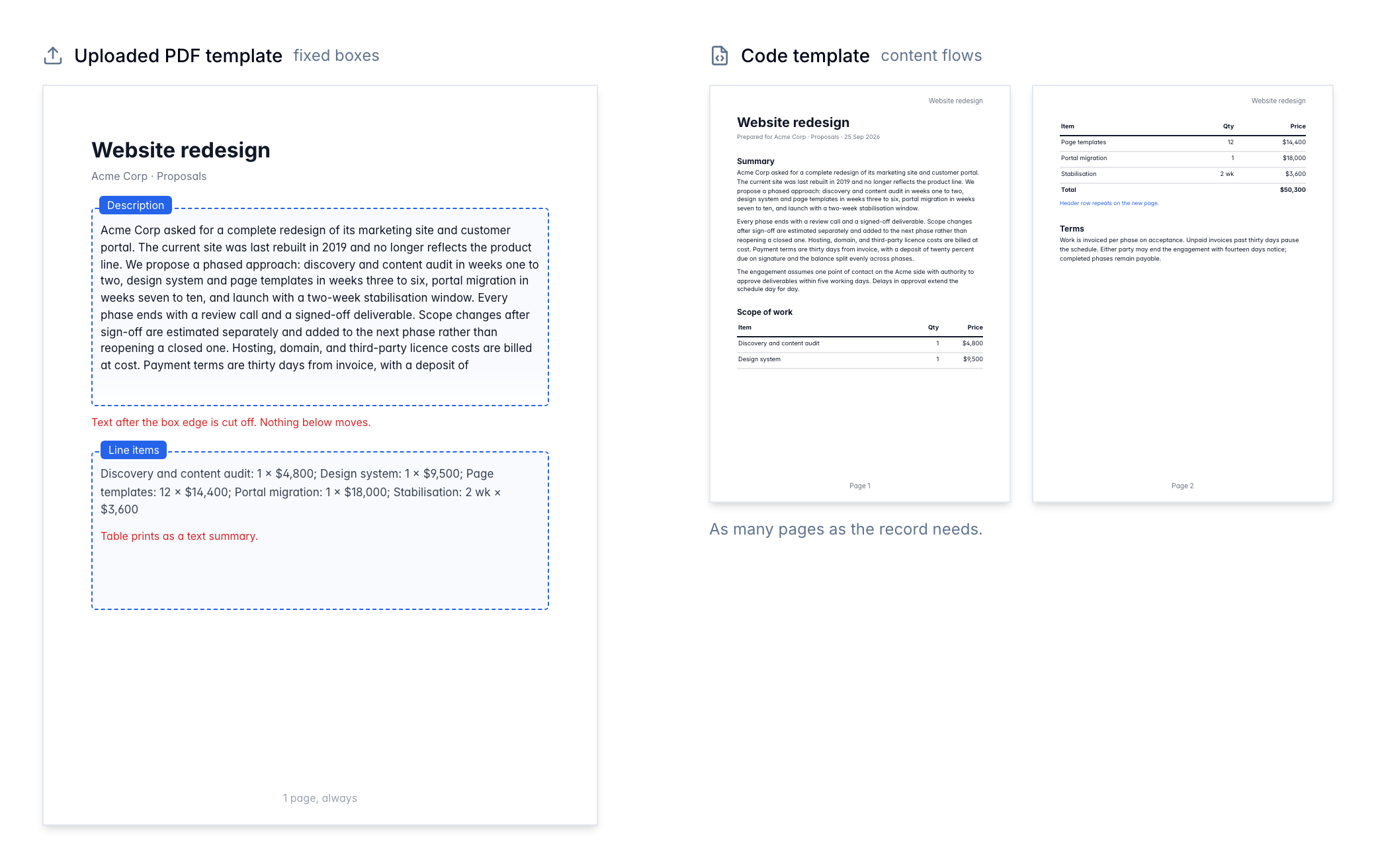
For a File field, Blue renders one attached PNG or JPEG image. Other attached file types do not appear in the generated PDF. A Table field renders a text summary of its rows.
Comment history
The Comments field prints the record’s comments oldest first. Each comment shows its author and the time it was added, then the comment text on the next line. Times use the record’s timezone and your date format.
Comments print as plain text, so formatting and attachments do not appear.
Blue prints only the comments the person who creates the PDF can see. A member with comment-only visibility gets the comments they wrote or were mentioned in, and a member who cannot view email comments does not get those.
Like Description, the Comments field uses a resizable box. Drag its edges on the template to set how much room the history has.
Format template fields
Select a field on the template to change its font size and text colour in the field toolbar. Each field stores its own settings.
Templates keep the actual size of each page. Blue supports A4, Legal, Letter, and landscape pages. One template can contain pages with different sizes.
Code templates (Pro)
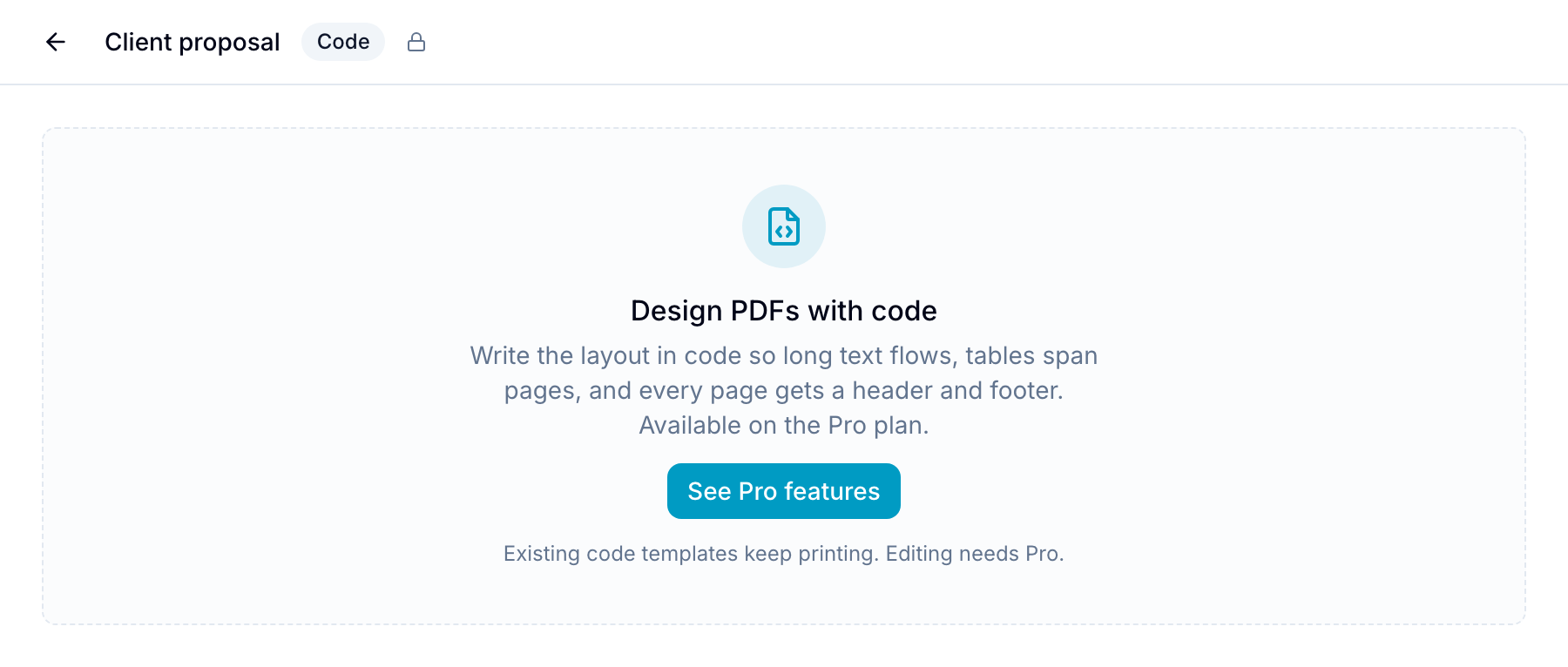
A code template describes the PDF layout in code instead of a fixed PDF. Text takes the room it needs, tables continue on the next page with their header repeated, and every page can carry a header, a footer and a page number. Use it for proposals, reports, contracts and case files.
Code templates are written in Typst, a typesetting language. The easy parts read like Markdown: = Heading, *bold*, - list item. Layout comes from #set rules.
Create a code template
- Open Workspace Settings → PDF Templates.
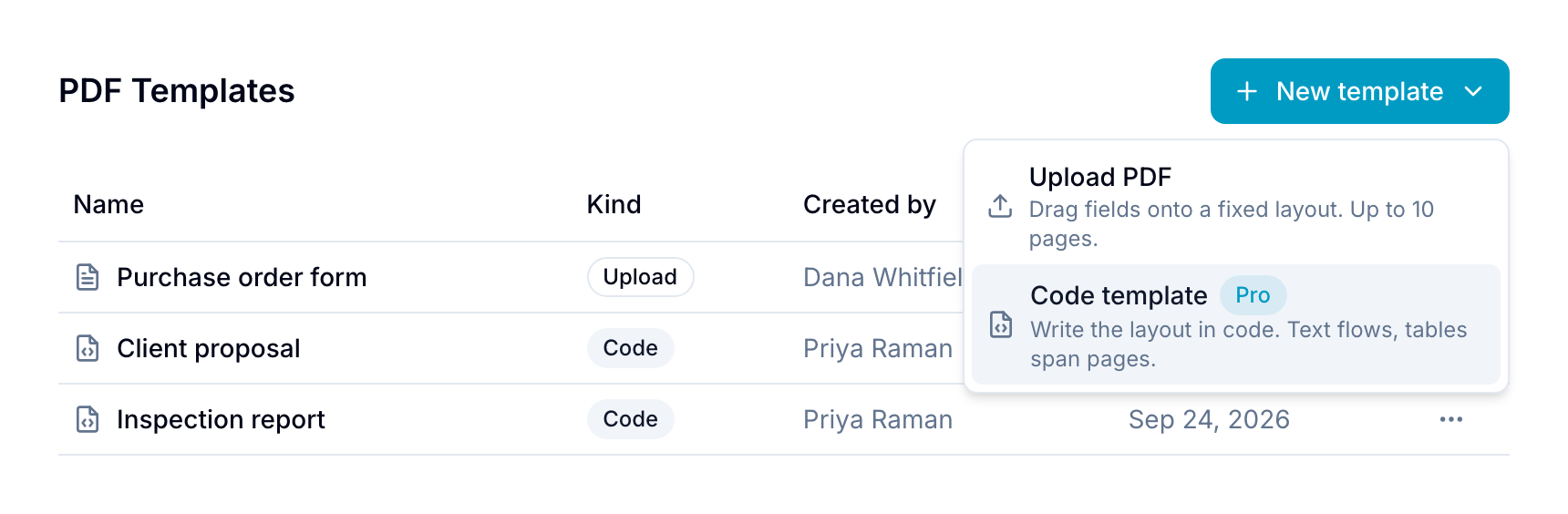
- Select New template → Code template.
- Blue opens the editor with a starter template that prints every field of the workspace, in the order they appear in Field Management.
Rename a code template
Select the pencil icon next to the template name in the editor header. Enter a name in Rename PDF Template, then select Rename.
The name saves separately from your code. Unsaved code changes stay in the editor until you select Save. You can also select Rename from the template’s menu in PDF Templates.
Edit with a live preview
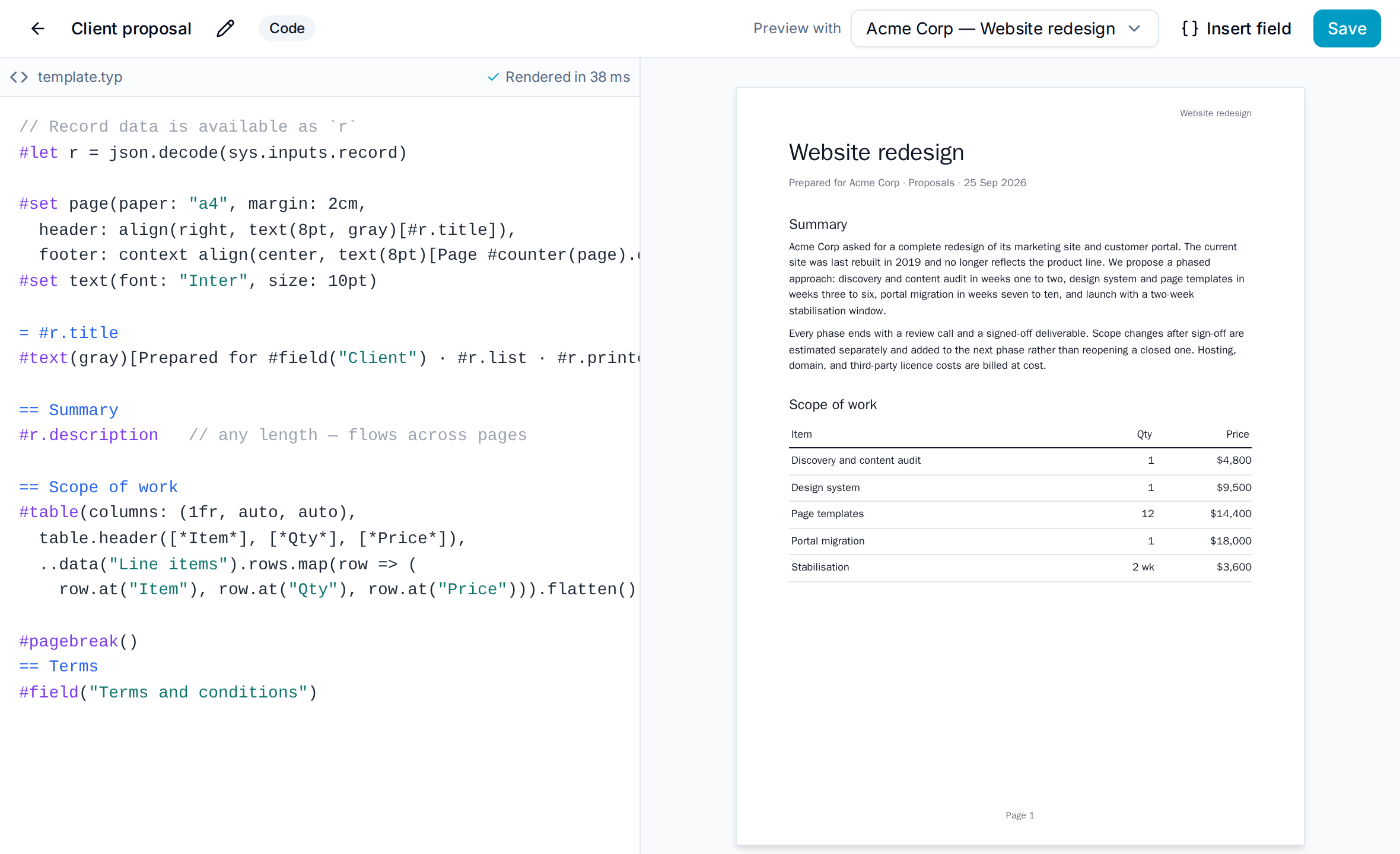
The left pane is the template source. The right pane shows the PDF for the record chosen in Preview with. The preview updates as you type. Select Save or press Ctrl/Cmd+S to keep your changes.
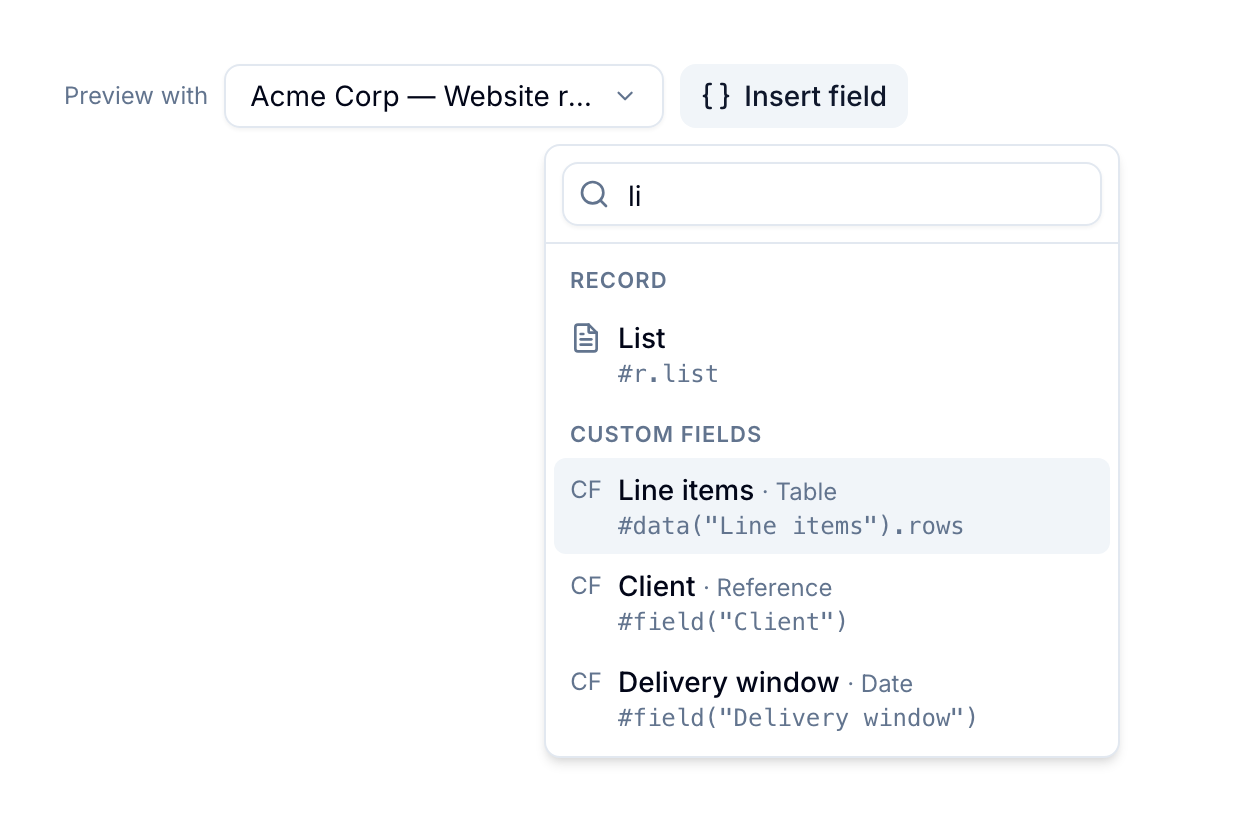
Select Insert field to add a field at the cursor. Each entry shows the code it inserts.
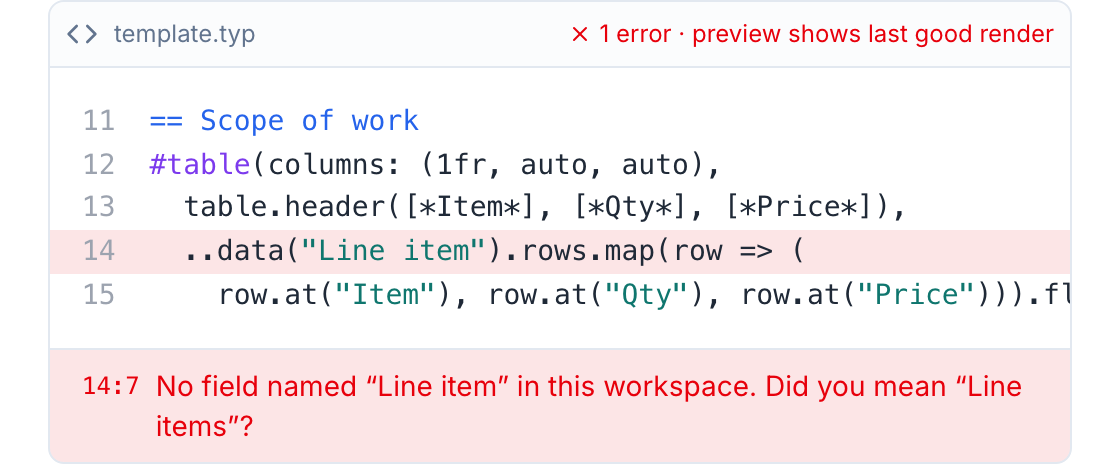
If the template has an error, the editor shows the line and a message. The preview keeps the last good result until the error is fixed. A field name the workspace does not have is reported as a warning with the closest match.
Record data
The record is available as r:
| Value | Meaning |
|---|---|
r.title, r.description | Title and description. The description keeps its formatting, and images you pasted into it print too (PNG and JPEG). |
r.list, r.workspace | List and workspace names. |
r.tags | Tag titles, as a list. #r.tags.join(", ") prints them. |
r.assignees | (name, email) per assignee. |
r.createdBy | (name, email) of the creator, or none. |
r.startAt, r.dueAt, r.createdAt, r.updatedAt, r.completedAt, r.printedAt | Dates in your date format. |
checklists | (title, items) per checklist; each item has title and done. |
comments | (author, at, text) per comment you can see. |
Custom fields are read by name:
| Function | Returns |
|---|---|
field("Name") | The formatted value, as shown in the record. Rich text keeps its formatting. |
data("Name") | The raw value: text, value, and for tables rows, for files files. |
rows("Name") | Rows of a Table field, one dictionary per row keyed by column name. |
files("Name") | Files of a File field: name, mime, size, and path for PNG and JPEG images. |
first-image("Name", width: 60%) | The first PNG or JPEG image of a File field. |
Example:
#set page(paper: "a4", margin: 2cm,
  header: align(right, text(8pt, gray)[#r.title]),
  footer: context align(center, text(8pt)[Page #counter(page).display()]))

= #r.title
#r.description

== Line items
#table(columns: (1fr, auto, auto),
  table.header([*Item*], [*Qty*], [*Price*]),
  ..rows("Line items").map(row => (row.at("Item"), row.at("Qty"), row.at("Price"))).flatten())

#pagebreak()
== Terms
#field("Terms and conditions")
Ask an AI to write the template
You do not have to write Typst yourself. In the editor, select Copy AI prompt and paste the result into ChatGPT, Claude, Gemini or any assistant, then describe the document you want. The paste contains the rules, the record data contract, your workspace’s field definitions, the preview record’s data as a sample, and the current template. Paste the answer back into the editor; the preview shows the result at once.
The sample record contains real values from the record chosen in Preview with; pick a record you are comfortable sharing with that assistant.
If you prefer to fill the prompt in by hand:
You are writing a PDF template for Blue (blue.app). Blue renders the template with Typst
(https://typst.app/docs) and fills it with one record's data. Blue's guide:
https://blue.app/docs/records/printing-records

Rules
- Output only the Typst source of the template, in one code block, nothing else.
- Do not import packages (@preview/...), fetch URLs, or read files. Only the record data below exists.
- Fonts available: Inter (default), Libertinus Serif, DejaVu Sans Mono, Noto Sans CJK, Noto Color Emoji.
- A render must finish in 10 seconds and 100 pages. Use #table with table.header(...) so headers repeat.
- Do not write #let r = ... or import anything: r and the helpers below are already defined.

Record data (already defined)
- r.title, r.description (formatted rich text), r.descriptionText (plain)
- r.list, r.workspace, r.tags (strings), r.assignees ((name, email)), r.createdBy ((name, email) or none)
- r.startAt, r.dueAt, r.createdAt, r.updatedAt, r.completedAt, r.completedBy, r.printedAt
- checklists: (title, items: (title, done)); comments: (author, at, text)
- field("Name"): formatted value; data("Name"): raw value; rows("Name"): table rows keyed by column name
- files("Name"): files (name, mime, size, path for images); first-image("Name", width: 60%)

Custom fields in my workspace
<list your fields: - Name (TYPE): options or table columns>

Sample record
<paste a record's data as JSON, or leave out>

Current template
<paste the editor contents, or leave out for a new template>

Task
<describe the document: sections, layout, which fields go where, tone>
Limits
A render stops after 10 seconds or 100 pages, and a PDF is at most 20 MB. Templates cannot load fonts, packages or URLs. Available fonts: Inter, Libertinus Serif, DejaVu Sans Mono, Noto Sans CJK (Chinese, Japanese, Korean) and Noto Color Emoji. Set one with #set text(font: "Inter"); text in other scripts falls back automatically.
A render embeds at most 20 images totalling 25 MB, shared between images pasted into the description and images in File fields. File fields claim the budget first. An image that is not embedded — a different format, a missing file, or the budget spent — prints as its file name.
Download and export
Code templates appear in the record’s Download PDF dialog, in Import & Export → PDF export (250 records), and in the Generate PDF automation action, next to uploaded templates.
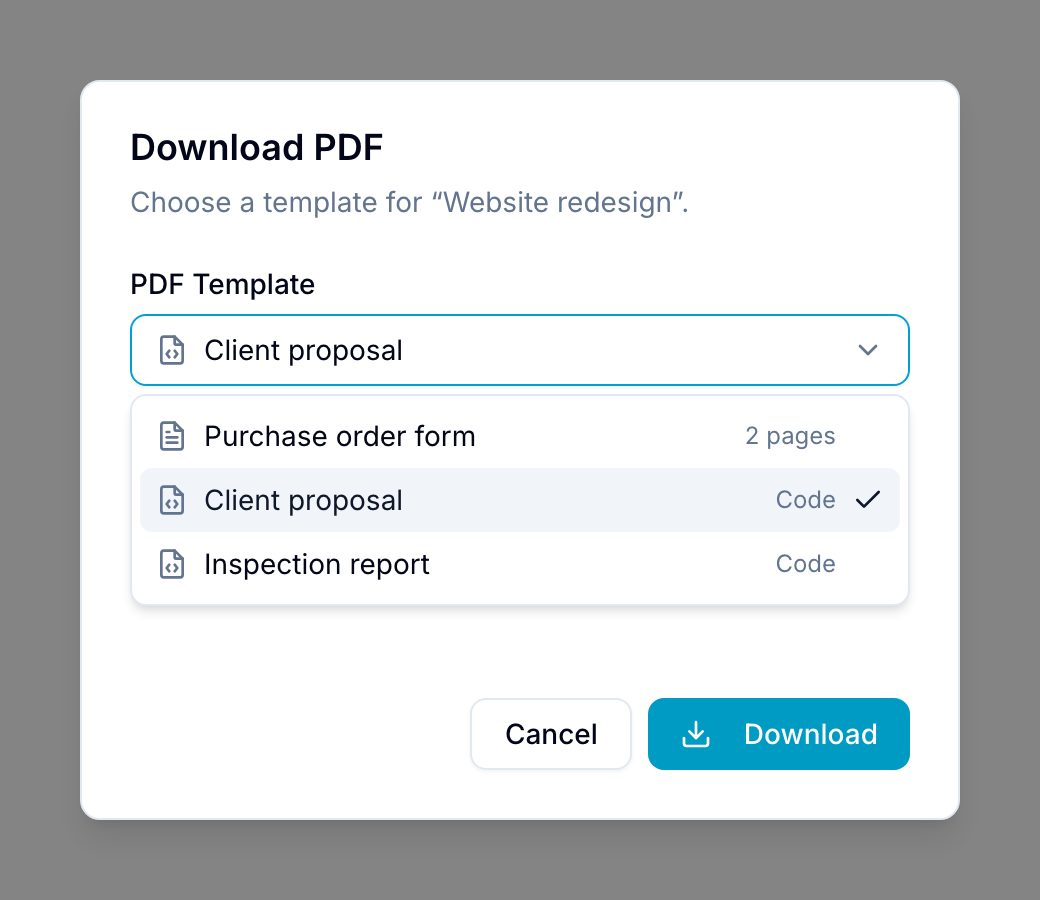
Code templates are a Pro feature. A workspace without Pro can still print the code templates it already has; creating or editing one needs Pro.
Turn a template off
Each template in Workspace Settings → PDF Templates has an Active switch. A template is active when you create it.
Turn the switch off to take a template out of use:
- It no longer appears in a record’s Download PDF dialog or in Import & Export → PDF export.
- It stays in the list and stays editable, so you can turn it back on at any time.
- A Generate PDF automation action that already points at the template keeps using it. Change the action if you want the automation to stop.
Use this for a template you are still drafting, or one you replaced but want to keep.
Create a PDF from one record
- Open the record.
- Open the … menu in the record toolbar.
- Select Print.
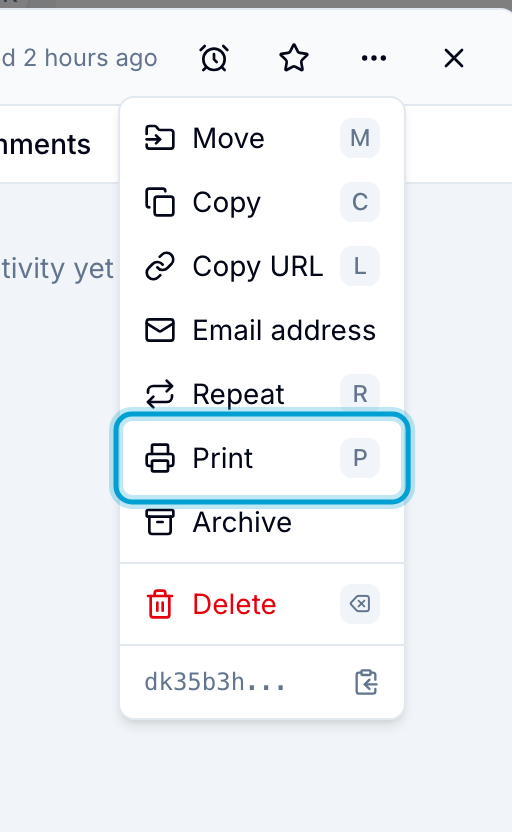
- Choose a PDF template.
- Review the preview and verify the record data.
- Select Download to save the PDF, or select Print to send it to a connected printer.
Blue places the record’s supported field values in the corresponding template fields.
Export filtered records to one PDF
Use the active workspace filters to select records for a merged PDF.
- Apply the filters you want in the workspace’s records view.
- Open Workspace Settings > Import & Export.
- Find the PDF export option.
- Choose a template.
- Start the export.
The export runs in the background. When it finishes, Blue emails you a download link. The link is valid for seven days.
A single PDF export supports up to 250 records. For a larger set, use narrower filters or CSV export.
Common documents
- Invoices and billing documents
- Work orders and service reports
- Receipts and confirmations
- Audit, compliance, and archive documents