URL
Store or calculate a web address from record fields, then display it as a link or a custom button.
A URL field stores one web address on each record. Blue checks the address before it saves the value. If the address is not valid, Blue shows Please enter a valid URL.

If you enter an address without a protocol, such as example.com, Blue adds https://.
In the default display, point to the saved value to show the Copy and Open link actions. Open link opens the address in a new browser tab.

Display The URL As A Button
By default, the field shows the address as a text link. In the field’s settings, select Display as button to show a colored button instead.
When you select Display as button, configure these settings:
- Button Label sets the text on the button. If empty, Blue uses Open Link.
- Button Color sets the button color.
Select the button to open the saved address in a new browser tab. For a manually entered address, select the Edit URL icon to change it.
Calculate a URL from fields
Use a template to build a link from values on the record. For example, link each order to its page in an external portal.
- Open the URL field settings. You need permission to manage fields.
- Turn on Calculate URL from fields.
- Under URL template, enter the fixed address, starting with
https://orhttp://. - Select Variable, or type
{, to insert a field into the path, query, or fragment. - Save the field settings.
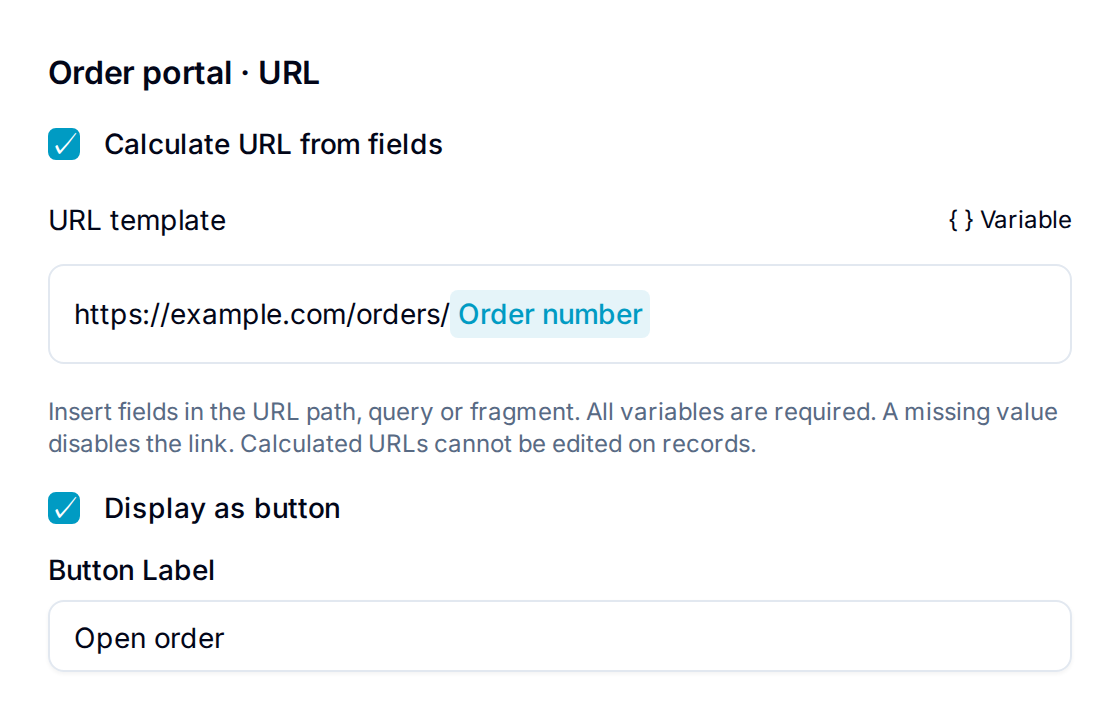
For example, enter https://example.com/orders/ and insert the Order number field. A record with order number 1042 gets the link https://example.com/orders/1042.
Keep the protocol and host fixed. Blue encodes inserted values so spaces and special characters work in the address. Do not encode the field values yourself.
Every inserted field must have a value. If one is empty, Blue clears the calculated URL and disables the link or button. Zero and an unchecked checkbox are valid values.
Calculated URLs update when their source values change. They are read-only on records, including through lookups, imports, automations, and the API. Display as button, Button Label, and Button Color still apply.
The picker supports compatible Formula, Lookup, and Rollup values. It does not accept structured values such as tables or files. A template cannot depend on itself, directly or through another calculated field.
To remove a source field from the database, first remove it from any URL template that uses it. If you turn off Calculate URL from fields, the last calculated URL stays and becomes editable.
Common Uses
- Store a customer or partner website.
- Link to a Google Doc, Word file, or Excel spreadsheet.
- Add a related web page or portal to a record.