Select (multi)
Create a list of colored options and let each record store one or more of them.
A Select (multi) field lets each record store one or more choices from a predefined set of options. Each option has a name, a color, and an optional icon.
Use this field to apply several categories, properties, or labels to the same record. Use a Select (single) field when each record must have only one choice.
Record tags are a Select (multi) field named Tags. The first database of a new workspace includes this field.
Configure the options
Organization Owners and Admins, and workspace Project Administrators, manage the options in the field’s settings. They can add, rename, recolor, and reorder options. Use Sort options to sort the options by name.

Select values
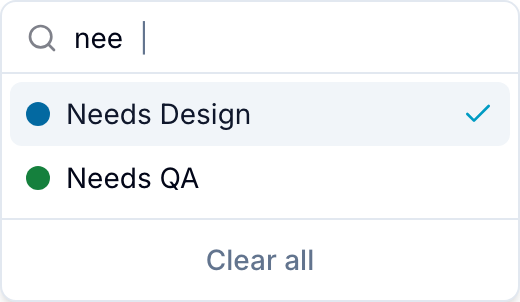
Open the field and start typing to search the available options. Select each option that applies to the record.
Use with other Blue features
- Board views can group records by a Select (multi) field.
- Custom user roles can control who can view or edit the field.
- Forms can collect one or more predefined options.
- Analytics can filter records by selected values.
- Conditional Select can filter this field’s options based on another field.