Unique ID
Give each record a persistent internal or sequential identifier with an optional prefix.
The Unique ID field displays a persistent identifier for each record. Choose the record’s internal ID or a sequential ID.
Internal record IDs
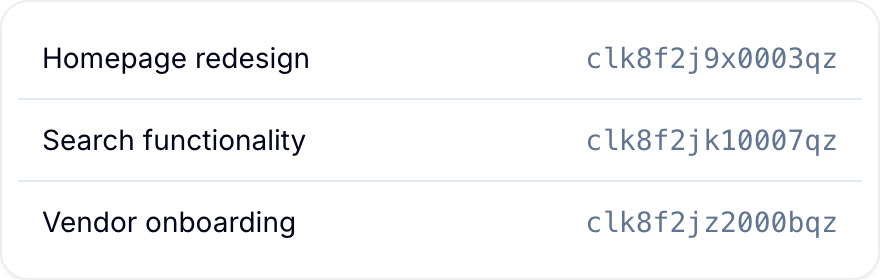
Internal record IDs are the default. Blue assigns each record a 25-character CUID when it creates the record.
When Auto-increment is off, the field displays this internal identifier. Workspace Owners and Project Administrators can add an optional prefix.

Sequential IDs
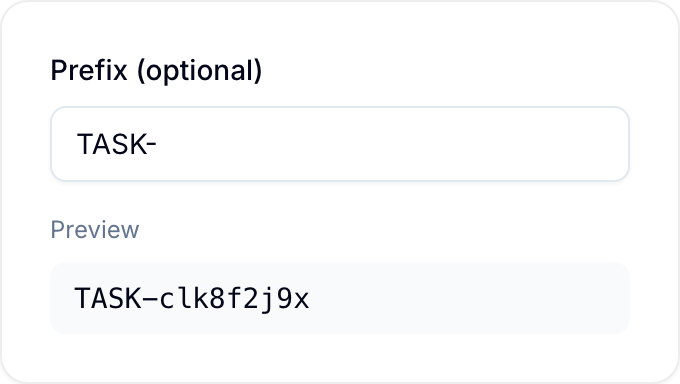
Sequential IDs use increasing numbers, such as 1, 2, and 3. You can add zero-padding and a prefix to create values such as TASK-001 or TICKET-002.
Configure a sequential ID when you create the field:
- Turn on Auto-increment.
- Set Number of digits from 1 through 10. For example, three digits produce
001,002, and003. - Set Starting value. The default is
1. - Enter a value in Prefix (optional). Blue suggests an abbreviation based on the database’s record terminology or the workspace name. Blue changes letters to uppercase and accepts only letters, numbers,
-, and_.
The Preview shows how the first ID looks.
Sequential IDs provide readable references for communication and consistent numbering for processes such as support requests. They also support external systems that require numeric identifiers. A database can use a sequential ID field and its prefix to generate record names automatically.
Restart numbering per field value
By default, Numbering is set to One series for the whole workspace. Blue keeps one number series for the field in its database. You can restart the series for each value of another field. Use this to number order line items 1, 2, 3 within their order, or subtasks within their parent task.
Configure restarted numbering when you create the field:
- Turn on Auto-increment.
- Under Numbering, select Restart numbering for each.
- Select the scope field. You can use a Select (single) field, a Reference field that allows one record, a Referenced By field, or an Assignee field that allows one person.
Each group starts at the Starting value, which is 1 by default. Blue assigns a number when the scope value is first set on the record. A record without a scope value stays unnumbered until you set one.
A Referenced By scope must contain exactly one record. Empty or multi-record values stay unnumbered because they do not identify one group.
Grouped numbers do not change:
- A number stays with the record while the record stays in the same group.
- Numbers are never reused. The next number in a group is the highest number ever used in that group, plus one.
- If you remove the scope value, the record keeps its number and the group keeps a gap.
- If you set the same scope value again, the record keeps its number.
- If you set a different scope value, the record gets the next number in the new group.
On the record panel, Blue shows the group size after the number, for example 2 of 5. This is the count of records that share the same scope value at that moment.
Grouped numbers are unique only within their group. Two records in different groups can have the same number. For this reason, the GitHub integration does not accept Unique ID fields that use restarted numbering as linking fields.
Use Unique IDs
- Link records to external systems with a stable identifier.
- Refer to a record in an audit trail.
- Search for a record by ID after its name changes.
- Use sequential IDs for readable references and numeric integrations.
- Restart numbering per field value to number line items or subtasks within their parent record.